What is assistive technology?
Assistive technology is defined as "equipment or devices that help you do the things that you can't do because of your disability" (NDIA, 2025).
Assistive technology has the power to be life changing for participants who have difficulty completing a range of daily activities. Whilst basic AT can be very beneficial, specialised and well trialled equipment can be life altering by improving independence for adults with disabilities.
What does reasonable and necessary mean?
As outlined by the NDIA (2025), reasonable and necessary means that the AT:
- must be related to a participant's disability
- must not include day to day living costs not related to your disability support needs, such as groceries
- should represent value for money
- must be likely to be effective and work for the participant, and
- should take into account support given to you by other government services, your family, carers, networks and the community.
Cost and risk tiers
AT is grouped two ways under the NDIS: by what it costs, and by how much support you need to use it safely. Together they decide which part of your budget pays for it and how much assessment is involved.
Under $1,500 per item
- Generally easy to set up and use
- Available from local suppliers or general retailers
- Comes out of the Core, Consumables budget
$1,500 to $15,000 per item
- May be harder to choose and set up on your own
- Funding comes out of the Capital budget
Over $15,000 per item
- Complex, and needs individual assessment
- Needs specialised knowledge or tools to set up
- Can be custom made to the individual's needs
- Comes out of the Capital budget
Low risk and high risk
Low risk products need very little advice or set up support from an AT advisor to use safely, and carry little risk of causing harm in daily life.
High risk products generally need advice from an AT advisor or assessor to get item selection right. Items regulated by the Therapeutic Goods Administration in Australia are considered higher risk.
Who does what
Support coordinators
They cannot prescribe or clinically assess what AT you need, but they carry a lot of the process.
- Identify AT needs within a plan and check whether it is already funded
- Link you with the allied health providers who can assess, trial and prescribe
- Coordinate the reports, quotes and documentation the application needs
- Help submit requests to the NDIS, and explain low cost versus complex AT
- Support you to purchase approved AT, then check it is actually meeting your needs
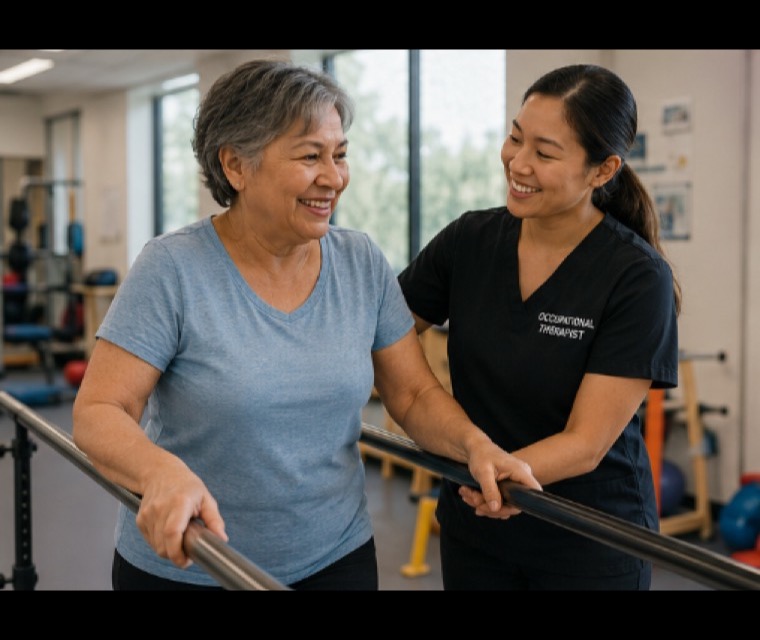
Occupational therapists
An OT works with you on everyday tasks such as getting around, bathing and cooking. Prescribing AT is part of that.
- Complete assessments and discuss them with relevant stakeholders
- Research available options and present the relevant ones to you
- Organise equipment trials with suppliers to check fit, function and comfort
- Write the recommendation letter or report once a selection is confirmed
- Order the equipment and coordinate delivery and setup
- Complete education and training with you and your carers on delivery
Assistive technology in rural communities
When working with participants in rural locations, it is important to consider their environment before planning or deciding what assistive technology may be useful.
Many people living in rural communities work in trades and agricultural jobs, often resulting in them spending a lot of time outside in different terrains. Many people living rurally also live on large properties and spend a large amount of their leisure time outside.
Questions worth asking before recommending anything:
- Is the AT suitable for different terrains?
- Will it need much follow up or repair? Many rural participants lack access to repair services.
- Is it weather resistant enough to withstand rain and harsh conditions, if it is used or stored outside?
- If it is technological, does it need to work offline in areas with no service?
- What is the digital literacy of the participant and their family?
Farmer Scott Collier is unable to walk but still able to farm, using a stand up tracked wheelchair.
Mobility
Mobility aids are any pieces of assistive technology that help individuals to move within and around their environment. They are essential in improving functional independence as well as wellbeing and confidence.
Commonly supports: spinal cord injury, leg amputation, general decline, arthritis, cerebral palsy, stroke and multiple sclerosis.
Walking stick
Provides support while walking and helps users to distribute their weight.
Detail: can be purchased as a single or four point base.
Wheeled walker
Provides balance while walking and can be used for seated rest breaks.
Detail: handbrakes, baskets or trays, lightweight and foldable frame.
Manual wheelchair
Allows the individual to mobilise while seated if they have difficulty walking.
Detail: brakes, lightweight foldable frame, footrests and armrests. Self propelled or attendant propelled.
Powered wheelchair
Allows mobilisation while seated where there is difficulty walking and limited arm or hand strength.
Detail: brakes, footrests and armrests, joystick controller, anti tip wheels, seatbelt. Can be customised with all terrain wheels, suspension, tilt and recline, and attendant control.
Mobility scooter
A powered mobility device that allows individuals who have difficulty walking to access the community.
Detail: handlebar controls, battery and charger, armrests, head and tail lights, horn, key ignition and basket. Can be customised with suspension, all terrain wheels, a rain cover and high range batteries.
Transfer equipment
Transfer equipment includes a wide range of devices designed to assist individuals with disability to transfer safely and at times independently. It also makes manual handling safer for carers.
Transfer board
Facilitates safe transfer from one surface to another.
Detail: a solid board in varying colours and materials.
Slide sheet
Used for smooth movement of a person from one bed to another, or up the bed.
Detail: comes as a large sheet, in different colours.
Handy Bar
A lightweight, portable handle that acts as an additional contact point when transferring in and out of a car.
Detail: attaches to the striker plate inside the car door, with a gripped handle.
Sara Stedy
A mobile transfer aid designed to assist individuals with reduced mobility in moving from one seated position to another.
Detail: pivoting opening seat, crossbar handle, knee support and pedal operated chassis legs.
Hoist
A device used to lift a person from one surface to another, for example bed to chair.
Detail: comes in a range of types.
Self care: bathing, toileting and dressing
Assistive technologies used to help individuals participate in self care activities including bathing, toileting and dressing. These allow individuals to maintain independence, health and dignity.
Shower chair
Allows individuals to attend to hygiene needs while reducing the risk of slips and falls while showering.
Detail: lightweight frame, plastic seat and backrest, drainage holes, height adjustable legs and non slip rubber feet.
Shower commode
Allows individuals to attend to showering and toileting without needing to stand or transfer.
Detail: waterproof frame, padded seat with cutout, lockable wheels, height adjustable legs. Self or attendant propelling.
Over toilet frame
Allows the individual to transfer on and off the toilet with more ease.
Detail: raised toilet seat, armrests, adjustable height legs, anti slip feet and a removable pan.
Long handled aids
Lightweight, handheld devices that help grasp, lift or retrieve items. Leg lifters, sock donners, dressing sticks, reachers and sponges.
Detail: a long handle with the adaptive end.
Grab rails
Provides physical support during everyday tasks and reduces the risk of slips and falls.
Detail: under Australian Standards a fixed grab rail should be fixed into the wall studs to withstand 112kg. Sizing is 30 to 40mm in diameter, in standard lengths of 300, 450, 600 or 900mm. Temporary grab rails are typically not recommended.
Note: although considered an AT solution, installing grab rails can count as a home modification and will typically require a higher level of reporting.
Daily living: kitchen and meal prep
Kitchen aids include a variety of devices and tools, often modified versions of common equipment, intended to assist with independence in cooking and daily kitchen tasks. Useful for people with limited physical mobility and endurance, and for those with reduced hand strength or dexterity.
Perching stool
Allows you to take seated breaks or stand in a semi seated position whilst cooking.
Detail: angled seat, backrest, arm rests and height adjustable legs.
Adaptive cutting board
Allows individuals to cut food simply and safely while only using one hand.
Detail: non slip feet, spikes to hold down food, and edges to hold food in place.
One handed can opener
Automatically opens cans.
Detail: comes with a button for automatic use.
Non slip jar opener
Provides a soft, grippy surface to help open jar lids with less force.
Detail: cone shaped design that fits comfortably in the hand.
Modified cutlery
Assists people with poor grip, decreased muscle control, tremors, upper limb weakness, hand pain or reduced dexterity.
Detail: wide grips, angled cutlery, a range of colours and styles.
Modified dinnerware
A plate guard, also known as a plate surround, attaches to a standard plate to prevent food sliding off.
Detail: comes in different shapes and colours to match your dinnerware.
Everyday technology with assistive functions
Current technologies such as mobile phones, smartwatches and computers can be adapted and used as assistive technology just by pressing a few buttons. All of these features live in the accessibility tab in settings, on both Apple and Android. They can be set up without an OT assessment, at no cost and no risk.
The cheapest AT is already in your pocket
Free, immediate, and no assessment required. Worth exhausting before anything gets prescribed.
Assistive touch
An on screen button used as an easier alternative to physical buttons or complex gestures.
Falls detection
If a hard fall is detected and there is no response to the notification, emergency services are called automatically and emergency contacts are notified.
Large font size
Enlarges on screen text for those with visual impairments or low vision.
Detail: can be altered system wide, or set differently in different apps.
Spoken content
Reads what is on the screen aloud, for those who have difficulty reading text.
Detail: can read highlighted text, speak letters and words while typing, or read the entire screen.
Eye tracking
Enables the user to navigate and interact with their device without using their hands. Moving your eyes scrolls and swipes, and pausing your gaze selects. It can replicate tap, swipe, scroll, and access to menus and apps.
Note: only available on iPhone models later than the iPhone 12. Not available on Samsung phones.
Download the full booklet
The complete 22 page guide, with every item, the full reference list and the NDIS links.
Assistive Technology for Increased Independence
Wondering what would actually help?
Our occupational therapists assess, trial and prescribe assistive technology across regional and metro Victoria.
Talk to our teamBooklet created and designed by Amelia Cassar and Mia Stride, fourth year occupational therapy students at ACU Melbourne, in collaboration with Country Therapy. October 2025.
All information is general and is not intended to be a substitute for professional medical advice. Cost and risk categories reflect NDIS guidance at the time of writing and may change.